

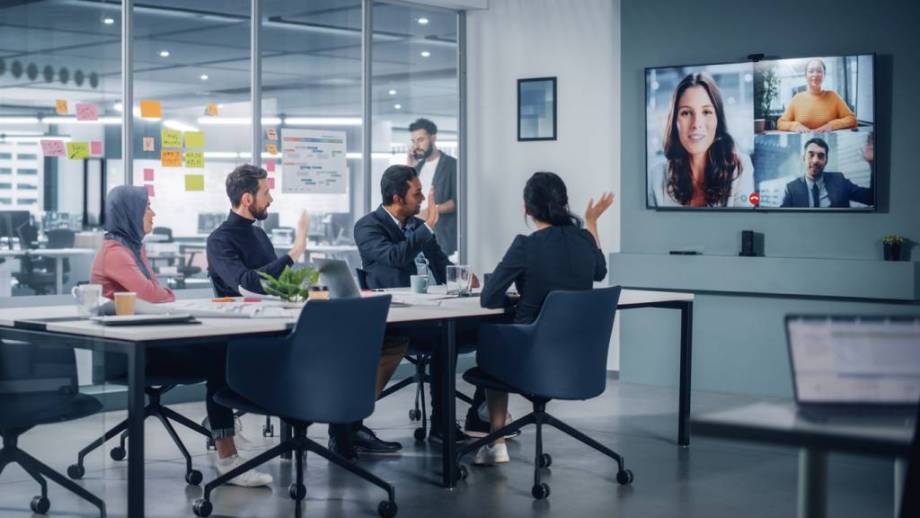
“Let me try the HDMI Cable.”
“Is it turned on?”
“Sorry Jim, you’re breaking up, can you repeat that last 3 minutes of what you were explaining?”

The reality of meetings, especially in 2024 where technology is an integral part of ensuring that every person is contributing and being informed, is often never as smooth as we would like them to be.
Creating a boardroom and meeting environment where glitches don’t get in the way of communication is paramount to keeping corporate interactions running smoothly and making them worthwhile.
So what needs to be considered when curating a space to accommodate remote, call-in and in-house participants in a way that not only works, but doesn’t become a deterrent because the technology or convenience gets in the way?
1. Location and Accessibility
- Central Position: Choose a location that is easy for all employees to access.
- Soundproofing: Ensure the meeting space is soundproof to prevent external noise from disrupting meetings.
2. Room Size and Layout
- Capacity: The room should comfortably accommodate the typical number of attendees with room to spare.
- Flexible Furniture: Use modular furniture that can be reconfigured for different meeting types (e.g., board meetings, brainstorming sessions, video conferences).
3. Technology and Equipment
- High-Quality AV Equipment: Install high-definition screens, projectors, and speakers for presentations and video conferences.
- Conference Call Systems: Include reliable and user-friendly video conferencing tools.
- Wi-Fi and Connectivity: Ensure strong and stable internet connectivity, with multiple charging stations and ports for laptops and devices.
- Interactive Whiteboards: Use digital whiteboards that can save and share notes electronically.
4. Comfort and Ergonomics
- Seating: Provide ergonomic chairs to ensure comfort during long meetings.
- Climate Control: Install a good HVAC system to maintain a comfortable temperature.
- Lighting: Use adjustable lighting to cater to different needs (e.g., bright light for brainstorming sessions, softer light for presentations).
5. Aesthetic and Design
- Color Scheme: Use colors that promote productivity and calm, like blues and greens.
- Natural Light: Maximize the use of natural light to improve mood and energy levels.
- Acoustic Panels: Use panels to improve sound quality and reduce echo.
- Art and Plants: Incorporate artwork and plants to make the space more inviting and reduce stress.
6. Storage and Organization
- Ample Storage: Provide cabinets and shelves for storing meeting materials and equipment.
- Minimal Clutter: Keep the space clean and free of unnecessary items to maintain a professional look.
7. Amenities and Extras
- Refreshments: Include a coffee machine, water dispenser, and possibly a small fridge for refreshments.
- Stationery: Stock the room with essential stationery items like markers, notepads, and sticky notes.
- Privacy Features: Install blinds or curtains for privacy during confidential meetings.
8. Accessibility and Inclusivity
- ADA Compliance: Ensure the space is accessible to people with disabilities.
- Inclusive Technology: Provide assistive technology, such as hearing loop systems for those with hearing impairments.
Example Layout Plan
- Entrance: A clear entry point with a welcoming feel.
- Central Table: A large, central table for discussions, surrounded by ergonomic chairs.
- Presentation Area: A dedicated area with a screen and projector.
- Breakout Spaces: Smaller areas with comfortable seating for informal discussions.
- Storage: Cabinets and shelves along the walls for easy access to materials.
- Refreshment Station: A corner with a coffee machine, water dispenser, and snacks.
By considering these elements, you can create a meeting space that is functional, comfortable, and conducive to productive meetings.